
Logo

Welcome to Infrakit Knowledge Base

Search our knowledge base for answers or contact support@infrakit.com / +358 9 4257 9297

Infrakit ADMIN for user and project management

How to show/hide inactive equipment

A quick guide how to hide and show inactive equipment from equipment list

Last updated on 05 Feb, 2026

Infrakit has now an option to hide equipment that are not assigned to any project

This feature helps you to manage longer equipment lists by hiding inactive vehicles from list

Option is now turned on as a default and can be turned off from Admin-page

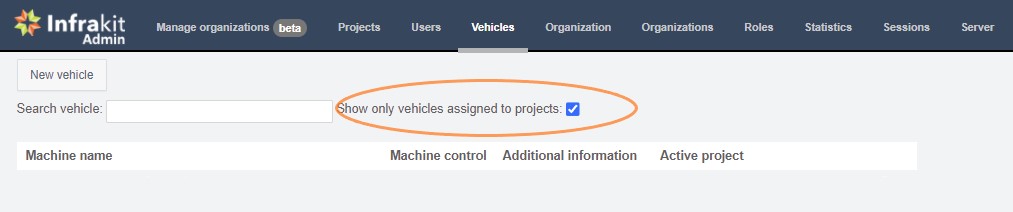
Go to Admin-page and select equipment

Here you can find a tickbox where you can hide and show inactive equipment
Image
Did you find this article helpful?
Previous

Creating a project

Next